
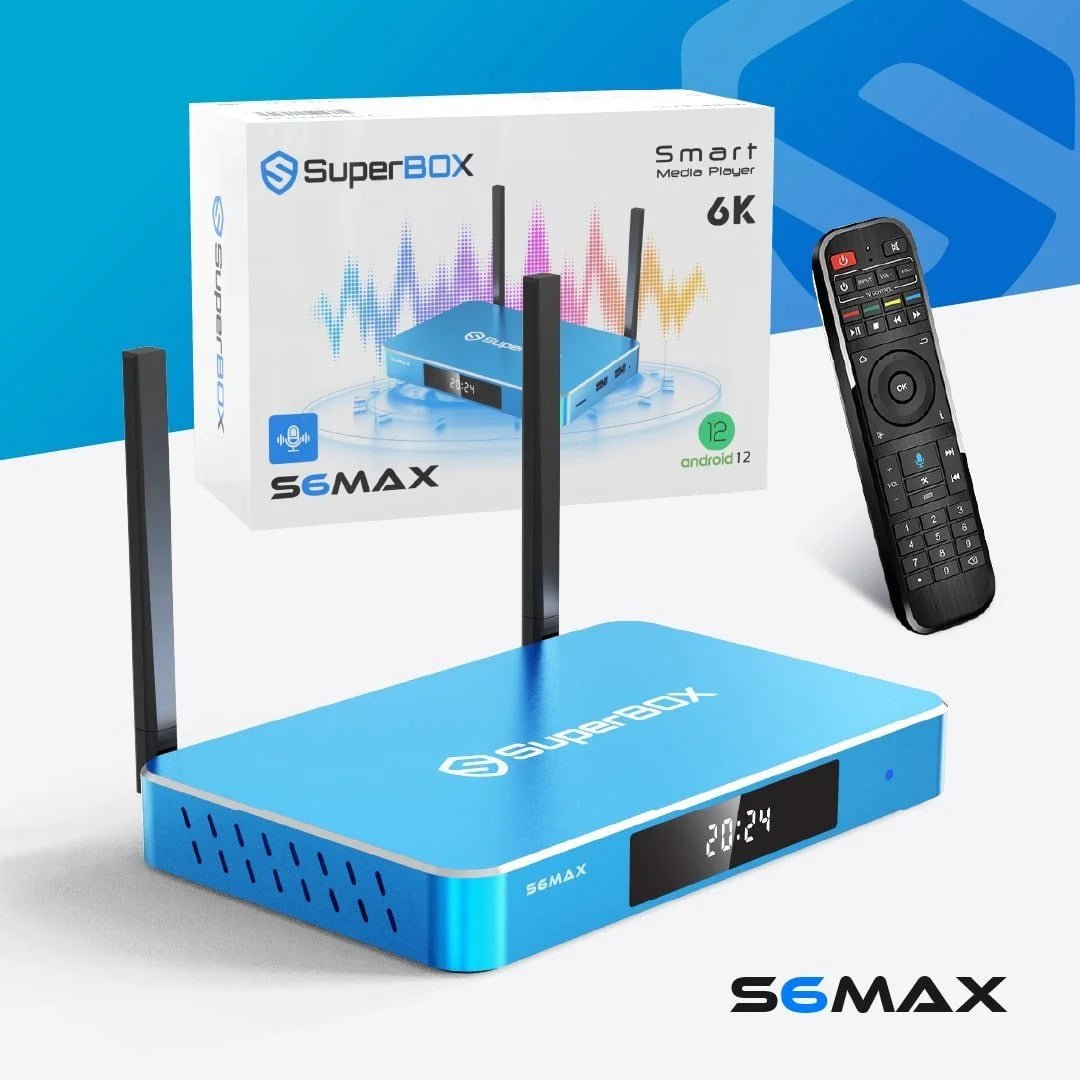


SuperBox S6 Max – 6K Streaming Device for Smarter Home Entertainment
$399.99 Original price was: $399.99.$296.00Current price is: $296.00.
Upgrade your home entertainment setup with the SuperBox S6 Max, a high-performance streaming device built for smooth playback, responsive navigation, and an enjoyable viewing experience. Designed for modern televisions, it combines powerful hardware, a simple Android-based interface, high-resolution video support, and convenient features in one compact device.
If you are looking for a superbox s6 max for sale, this model offers a strong balance of performance and everyday usability. The current superbox s6 max price is $296.00, reduced from the original $399.99, making it an attractive option for shoppers ready to upgrade their TV setup.
What Is SuperBox S6 Max?
What is SuperBox S6 Max? It is a smart entertainment device that connects to a compatible television and provides a centralized platform for streaming apps, digital entertainment, and media playback. Instead of relying only on the built-in software of an older television, you can use the device to access a more flexible interface and organize your entertainment in one place.
The SuperBox S6 Max is designed for households that want straightforward navigation without a complicated learning curve. Its interface makes it simple to move between applications, adjust settings, search for content, and manage your viewing experience.
If you are researching S6 Max 2025 SuperBox for TV, the model is a practical option for upgrading a compatible television without replacing the entire screen.
SuperBox S6 Max Key Benefits
The SuperBox S6 Max focuses on practical features that make everyday viewing easier. Instead of simply adding hardware, it brings together picture quality, navigation, connectivity, and viewing controls in one device.
High-Resolution Viewing
The device supports up to 6K Ultra HD output, giving compatible displays and content the ability to deliver sharper images and greater visual detail.
Smooth Everyday Performance
Its hardware is designed to provide responsive navigation and stable playback, helping users move between apps and entertainment options without unnecessary complexity.
Dual-Band Connectivity
Support for both 2.4GHz and 5GHz Wi-Fi gives you flexibility when connecting to your home network. Ethernet connectivity is also available for users who prefer a wired connection.
Time-Shift Convenience
Time-Shift lets supported live programming be paused, rewound, or replayed from the available viewing window. This is useful when you step away or want to revisit a moment you just watched.
Family-Friendly Controls
Built-in parental controls allow parents to manage accessible content and create a more controlled viewing environment for younger household members.
Voice-Enabled Navigation
The included voice-control remote makes it easier to search, open compatible apps, and navigate the interface without relying entirely on traditional button controls.
SuperBox S6 Max Specifications
These S6 Max SuperBox details give you a clear overview of the device’s core hardware, display support, connectivity, and included functionality.
| Specification | SuperBox S6 Max Details |
|---|---|
| Model | SuperBox S6 Max |
| Operating System | Android |
| Maximum Video Output | Up to 6K Ultra HD |
| RAM | 4GB |
| Wi-Fi | Dual-band 2.4GHz / 5GHz |
| Wired Network | Ethernet support |
| Time-Shift | Up to 8 hours |
| Remote | Voice-control remote |
| Parental Controls | Yes |
| TV Connection | HDMI |
| Interface | User-friendly Android interface |
| Primary Use | Home entertainment and media streaming |
These S6 Max SuperBox details are intended to help shoppers compare the model with other Android-based entertainment devices before making a purchase.
What Is Included with SuperBox S6 Max?
When you buy SuperBox S6 Max, the essential items needed to get started are included with the device package. The exact accessory configuration can depend on the current package offered by the seller.
- SuperBox S6 Max device: The main entertainment unit that connects to your compatible television.
- Voice-control remote: Provides convenient navigation and voice-based search functions.
- HDMI cable: Used to connect the device to a compatible TV with an HDMI input.
- Setup components: The package includes the necessary components for powering and connecting the device.
Before placing an order, check the current package contents shown with your selected product listing.
How to Set Up SuperBox S6 Max?
Learning to set up SuperBox S6 Max does not require advanced technical knowledge. The process is designed to be straightforward for first-time users.
- Connect to Your TV
Connect the SuperBox S6 Max to an available HDMI input on your television using the supplied HDMI cable. - Connect to the Internet
Choose your preferred connection. You can connect through dual-band Wi-Fi or use an Ethernet connection when a wired network is more convenient. - Power On the Device
Turn on the device and television, then select the correct HDMI input on your TV to display the SuperBox interface. - Follow the On-Screen Instructions
Complete the initial prompts shown on the screen. Connect to your network and configure the basic settings required for your setup. - Start Exploring
Once the setup is complete, use the remote to navigate the Android interface, open compatible apps, and organize your entertainment experience.
Following these setting-up SuperBox S6 Max steps should get the device ready without complicated installation. If a specific app requires its own account or setup, follow that service’s instructions separately.
Why Choose SuperboxShop?
At SuperboxShop, we make it easier to find reliable home entertainment solutions with clear product information, convenient ordering, and support throughout your shopping experience. Our goal is to help customers choose the right SuperBox device for their viewing needs with confidence.
A Focus on Home Entertainment
We specialize in SuperBox entertainment products designed to enhance the way you watch TV, access digital content, and enjoy media at home.
Clear Product Information
We provide detailed specifications, feature descriptions, setup guidance, and frequently asked questions so you can make a more informed purchasing decision.
Convenient Online Shopping
Our online store makes it simple to browse available SuperBox models, compare features, review pricing, and place an order from the comfort of your home.
Support for Different Viewing Needs
Whether you want a device for everyday family entertainment, high-resolution viewing, flexible connectivity, or easier navigation, our product selection is designed to accommodate a range of preferences.
Customer-Focused Service
We aim to provide a straightforward shopping experience before and after your purchase. If you have questions about product features, availability, setup, or bulk orders, our team is available to help.
When you choose SuperboxShop, you are choosing a dedicated source for SuperBox entertainment products, helpful information, and convenient service.
Frequently Asked Questions
The what is SuperBox S6 Max question comes down to its role as an Android-based entertainment device. It connects to a compatible TV and internet connection, allowing users to access supported apps and digital entertainment through its interface.
The current SuperBox S6 Max price shown on the product listing is $296.00, reduced from an original listed price of $399.99. Prices may change, so verify the listing before completing your purchase.
First, connect it to your TV through HDMI, then connect it to the internet through Wi-Fi or Ethernet and power it on. Finally, follow the on-screen setup instructions.
Yes. The device supports dual-band 2.4GHz and 5GHz Wi-Fi. Ethernet is also available for users who prefer a wired network connection.
Yes. The device includes parental-control functionality that can help parents restrict unsuitable content and manage access for younger household members.
If you are interested in SuperBox S6 Max wholesale purchasing, contact the seller directly for current bulk pricing, order requirements, and availability. Retail pricing should not be assumed for wholesale quantities.
Only logged in customers who have purchased this product may leave a review.
Related products
-
Stream X
StreamX X2 Max 64GB Timeshift + Parental Control
$329.99Original price was: $329.99.$179.00Current price is: $179.00. -
Accessories
20W QC Fast Charger Block USB Type C Wall Power Adapter
$19.99Original price was: $19.99.$14.99Current price is: $14.99. -
S6 Series
SuperBox S6 Ultra – The Ultimate Android TV Box for 2025 Streaming
$449.99Original price was: $449.99.$332.00Current price is: $332.00.


Reviews
There are no reviews yet.