
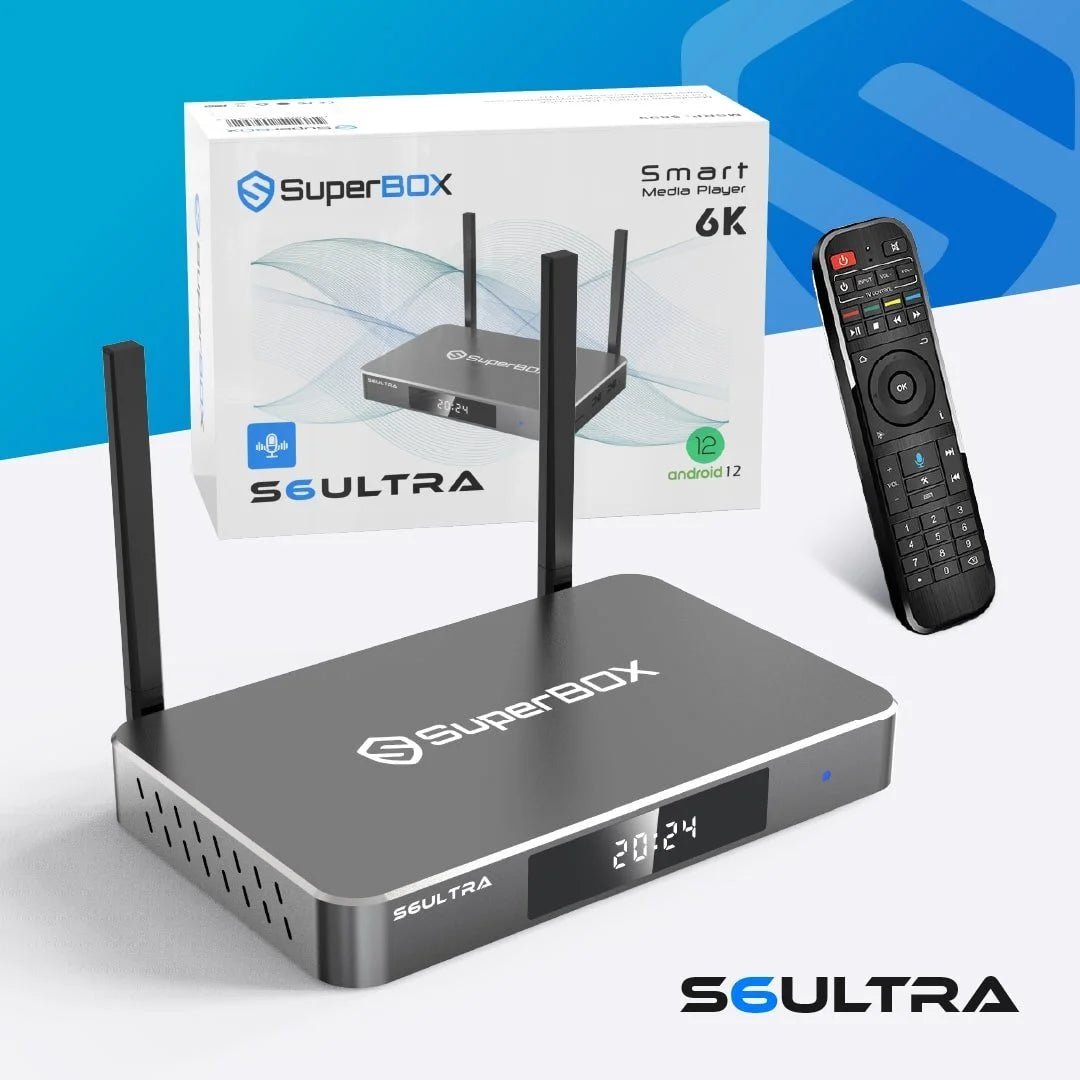


SuperBox S6 Ultra – The Ultimate Android TV Box for 2025 Streaming
$449.99 Original price was: $449.99.$332.00Current price is: $332.00.
Bring a faster, more flexible viewing experience to your home with the SuperBox S6 Ultra. Designed for users who want strong hardware, high-resolution playback, generous storage, and simple navigation, this Android TV box combines practical features with modern connectivity.
So, is the superbox s6 ultra worth it? The answer depends on what you expect from a dedicated entertainment device. With Android 12, 4GB RAM, 128GB internal storage, Wi-Fi 6 support, Bluetooth 5.2, and up to 6K video output, the device is built to handle everyday entertainment smoothly.
Looking for a superbox s6 ultra for sale? The S6 Ultra is an appealing choice for households that want more storage and upgraded connectivity in a compact entertainment device.
Superbox S6 Ultra-2025 Key Benefits
Discover the key benefits of the SuperBox S6 Ultra, designed for a smoother home viewing experience.
Easy Navigation
The interface is designed to make everyday navigation straightforward. Menus, applications, and viewing controls can be accessed from the remote without requiring complicated technical knowledge. For anyone looking at superbox s6 ultra reviews, ease of use is an important factor to consider alongside performance, compatibility, and the type of content you plan to access.
Convenient Viewing Controls
The device provides controls that make everyday viewing more flexible. You can manage playback and use available viewing functions directly from the interface rather than constantly switching between different devices. This practical approach is one reason the superbox s6 ultra can appeal to households looking for a simple entertainment setup.
Family-Friendly Management
Households with children can use available parental-control options to manage access to supported content. Restrictions can help parents create viewing boundaries while allowing other household members to use the device normally. These controls can be particularly useful when several people share the same television and have different viewing needs.
SuperBox S6 Ultra Specifications
The following table summarizes the core hardware and connectivity specifications of the device. These technical details are kept in one place so you can compare the model without repeating the same specifications throughout the page.
| Specification | Details |
|---|---|
| Model | SuperBox S6 Ultra |
| Operating System | Android 12 |
| Processor | Quad-Core ARM Cortex-A53 |
| GPU | Mali-G31 MP2 |
| RAM | 4GB DDR |
| Internal Storage | 128GB eMMC |
| Maximum Video Support | Up to 6K |
| Video Decoder | H.265, 6K @ 60fps |
| Wi-Fi | Dual-Band 2.4GHz / 5GHz, Wi-Fi 6 |
| Ethernet | 1000Mbps |
| Bluetooth | Bluetooth 5.2 |
| Remote | Voice Control Remote |
| Power Supply | DC 5V/2A |
How to Set Up SuperBox S6 Ultra?
The basic process involves connecting the device to your television, supplying power, establishing an internet connection, and completing the on-screen setup.
1. Connect the HDMI Cable
Connect one end of the supplied HDMI cable to the S6 Ultra and the other end to an available HDMI port on your television.
2. Connect Power
Plug the supplied power adapter into the device and connect it to a suitable power outlet.
3. Select the HDMI Input
Turn on your television and select the HDMI input connected to the S6 Ultra.
4. Connect to the Internet
Follow the on-screen instructions to connect through Wi-Fi. If you prefer a wired connection, use the Ethernet connection.
5. Complete the On-Screen Setup
Follow the displayed instructions to configure the device, connect your preferred accounts where applicable, and adjust settings.
Knowing how to set up superbox s6 ultra should not require advanced technical knowledge. The standard connection process can generally be completed in just a few minutes.
What’s Included?
Your package includes the essential hardware and accessories needed to connect the device to a compatible television:
- SuperBox S6 Ultra Device: Compact superbox s6 ultra-android tv box delivering high-resolution playback, expanded storage, modern connectivity, and convenient access to compatible entertainment applications.
- Voice-Control Remote: Simplifies navigation, searching, and menu control through voice commands, reducing the need for lengthy on-screen typing during everyday viewing.
- HDMI Cable: Connects the SuperBox S6 Ultra directly to your television, supporting reliable audio and video transmission for straightforward home entertainment setup.
- Power Adapter: Supplies consistent power to the device, helping maintain stable operation during streaming, application use, system navigation, and extended viewing sessions.
- User Guide: Provides setup instructions, connection guidance, remote information, troubleshooting suggestions, and essential details for configuring the device correctly.
This means you can begin the connection process without having to purchase the basic connection accessories separately.
Why Choose SuperBoxShop?
Buying a streaming device is more than finding the right model. SuperBoxShop aims to make the purchasing experience simple, reliable, and convenient from product selection through delivery.
Genuine Product Selection
Shop directly from a dedicated SuperBox store with product information clearly presented, helping you choose the device that fits your entertainment setup.
Competitive Pricing
Check the latest product pricing before ordering and take advantage of available offers when purchasing your next SuperBox device.
Secure Ordering
A straightforward online checkout makes it easy to place your order while keeping the purchasing process simple and convenient.
Responsive Customer Support
Need help before or after your purchase? Customer support is available to assist with product-related questions and order concerns.
Reliable Shipping
Products are packaged carefully for shipment so your order can arrive safely and ready for setup.
Order the SuperBox S6 Ultra
The SuperBox S6 Ultra offers a convenient way to manage compatible entertainment applications and viewing functions from your television. Its simple interface suits everyday users, while flexible controls enhance the viewing experience. For new owners, learning how to use superbox s6 ultra does not require advanced technical knowledge. Most everyday functions can be accessed through the on-screen interface and remote. Ready to upgrade your entertainment setup? Check out the latest SuperBox S6 Ultra listing and order today.
Frequently Asked Questions
A superbox s6 ultra-android tv box is designed for home entertainment, compatible applications, high-resolution playback, voice navigation, and modern network connectivity.
Yes. The device supports video playback of up to 6K, including H.265 6K@60fps according to published specifications.
Yes. It supports dual-band 2.4GHz/5GHz Wi-Fi and Wi-Fi 6. It also provides Gigabit Ethernet connectivity.
The current superbox s6 ultra price listed on SuperBoxShop is $332.00, reduced from the original listed price of $449.99. Prices may change, so verify the product page before ordering.
The 7-day time-shift feature provides greater flexibility with supported live programming. Depending on the available content and service, you can pause, rewind, and catch up within the supported time-shift period.
The package includes the SuperBox S7 Prime TV Box, Bluetooth voice command remote, HDMI cable, power supply cable, and user guide.
Only logged in customers who have purchased this product may leave a review.
Related products
-
Accessories
SuperBox Supreme: The Ultimate Android TV Box for Home Entertainment
$489.99Original price was: $489.99.$429.99Current price is: $429.99. -
S7 Series
SuperBox S7 Prime (2026 Limited Edition)
$499.99Original price was: $499.99.$449.00Current price is: $449.00. -
S6 Series
SuperBox S6 Max – 6K Streaming Device for Smarter Home Entertainment
$399.99Original price was: $399.99.$296.00Current price is: $296.00.


Reviews
There are no reviews yet.